Malfors v1.6 Released
Malfors API is now available, and Private Enrichments are now available in cloud with an easier way to test them in place.
Malfors API
Malfors now has a public API for programmatic access to investigation data and enrichment workflows. You can use it to create and update cases, manage entities and links in a case graph, list available entity types, and trigger enrichments from your own systems.
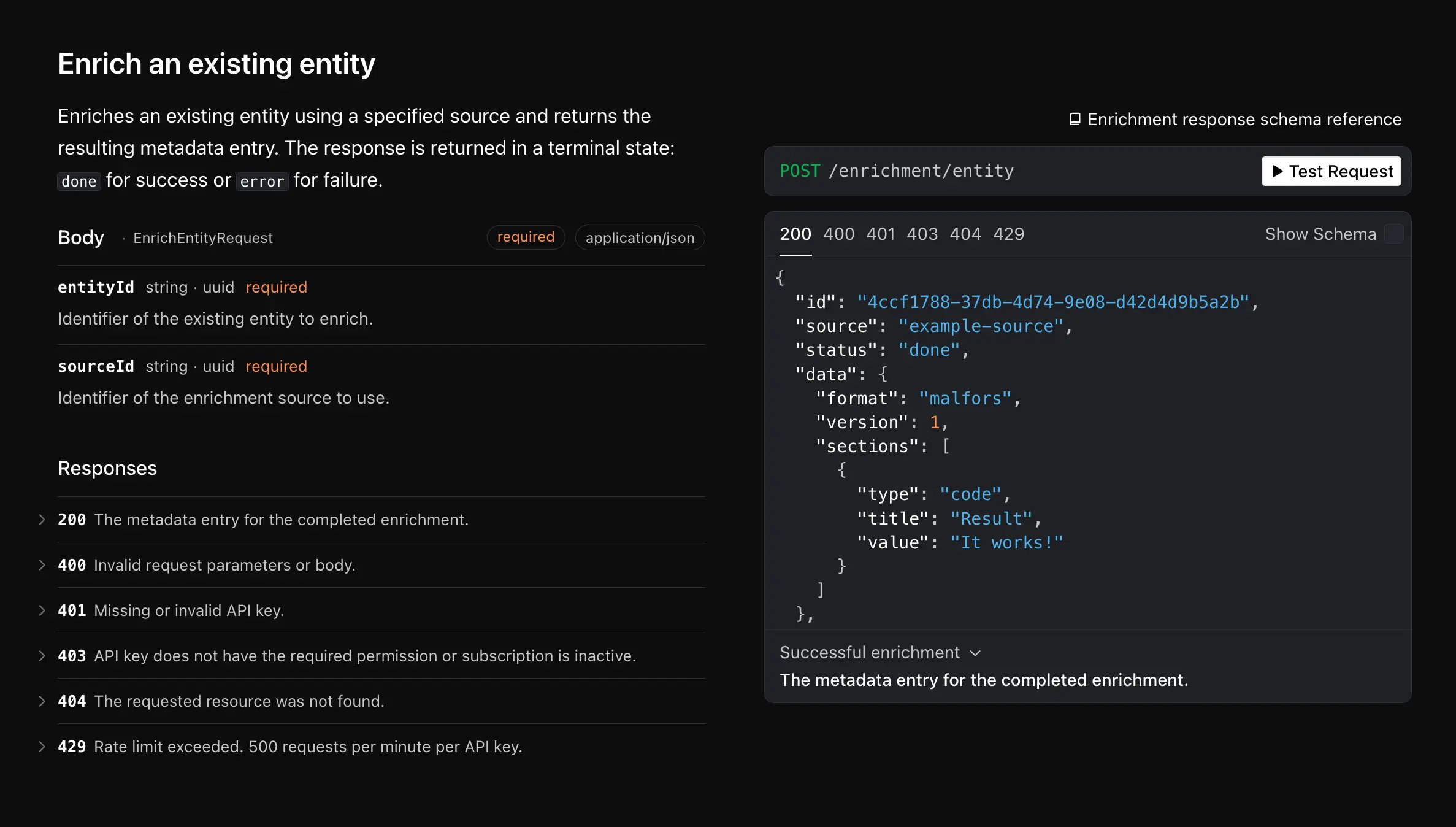
This makes it easier to connect Malfors to existing internal tools and automation. If you already have external systems producing leads, identifiers, or investigation context, you can now push that data into Malfors without doing everything manually through the UI.
The API reference is available here: app.malfors.com/public/docs. API keys can be created in Settings > API Keys, and then used for Bearer authentication.
Private Enrichments in Cloud
Private Enrichments are now available in Malfors Cloud. You can use them to connect Malfors to your own internal data sources, or to third-party vendors that are not supported as built-in integrations.
The model is straightforward: you expose an HTTPS endpoint, Malfors calls it when an entity is enriched, and the response is rendered in the entity metadata panel. This gives you a way to bring private or specialized data into investigations while keeping the integration under your control.
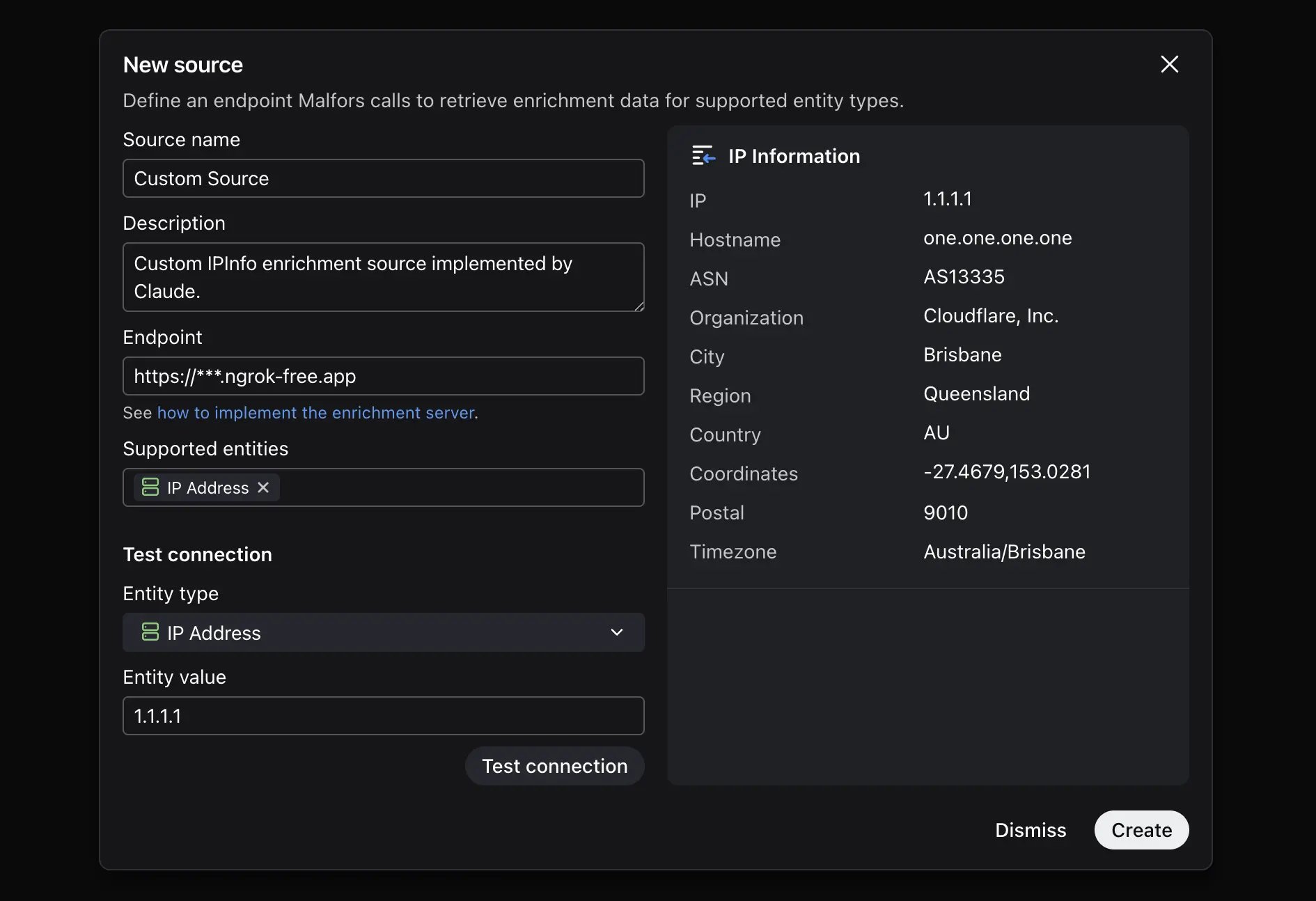
Private enrichments support structured result sections, including key-value data, tables, and raw text blocks, so results can be displayed in a way that is actually usable during analysis instead of as an opaque blob.
Documentation is available here: malfors.com/docs/private-enrichments.
We also added a way to test private enrichments in place, which makes setup faster. Instead of wiring everything up and only then seeing whether requests and responses behave correctly, you can validate the integration directly where it is configured and iterate with less back-and-forth.