Private Enrichments
Private enrichments let you extend Malfors with your own data sources.
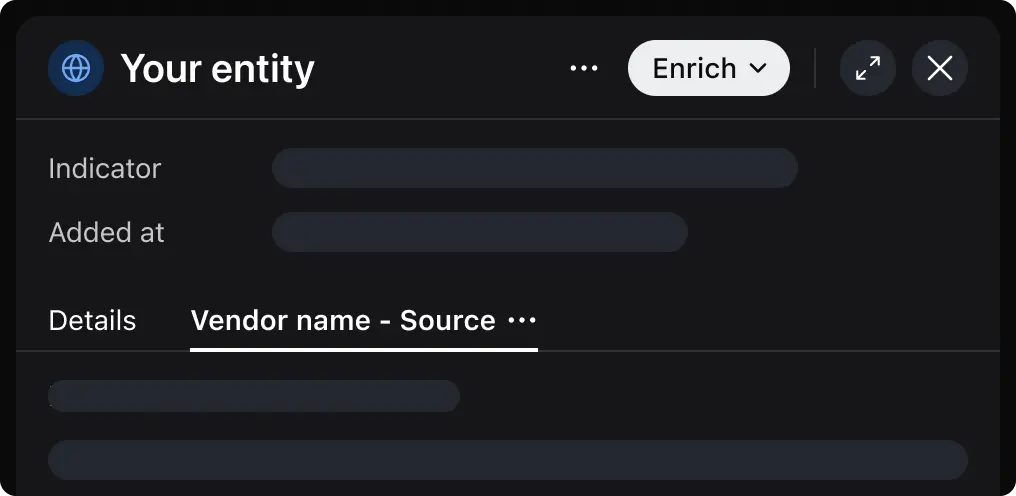
You can set up your own enrichment server that integrates with your own private databases, or public vendors that Malfors does not yet support.
Setting Up
Create a Vendor
Navigate to Enrichments and click New private enrichment. A vendor represents your enrichment provider (e.g., your company's internal threat intel API).
Set Credentials
Open your vendor and click Add token to configure an auth token. This token is sent as a Bearer token in the Authorization header when Malfors calls your endpoint.
Always verify the Authorization header to confirm requests are coming from Malfors.
Add Enrichment Sources
Click New source on the vendor page to add an enrichment source. Each source is a specific enrichment capability. Fill in the following fields:
| Field | Description |
|---|---|
| Name | Display name for the enrichment source |
| Description | Short description of what this source provides |
| Endpoint | URL that Malfors will POST to (must start with https://) |
| Supported Entities | Entity types this source can enrich (e.g., Domain, IP Address). |
You can add multiple sources per vendor, each with a different endpoint and set of supported entity types.
Implementing Your Enrichment Server
When an enrichment is triggered, Malfors sends a POST request to your source's endpoint. The request includes the entity type and value that are being enriched.
POST <your-endpoint-url>
Content-Type: application/json
Authorization: Bearer <your-token>

{
  "type": "domain",
  "value": "example.com"
}
Your server must respond with 200 OK and a JSON body matching the enrichment response schema.
The schema defines how exactly the data is displayed in the entity metadata panel. Here is a minimal response that will render a code block section:
{
  "result": {
    "format": "malfors",
    "version": 1,
    "sections": [
      {
        "type": "code",
        "title": "Code Section",
        "value": "It works!"
      }
    ]
  }
}
Response Schema
Successful response must be a JSON object with a single result property.
The result object must contain the following properties: format (always malfors), version (always 1), and sections (array of sections).
Each section has a type field that determines how it renders: data-list for key-value pairs, table for tabular data, and code for preformatted text.
Below, each section schema is described.
Data List
Key-value pairs. Use for structured metadata.
{
  "type": "data-list",
  "title": "WHOIS Information",
  "omitEmpty": true,
  "items": [
    { "label": "Registrar", "value": "Cloudflare, Inc.", "type": "organization" },
    { "label": "Created", "value": "2004-08-13" },
    { "label": "Name Servers", "value": "ns1.example.com", "type": "domain" },
    { "label": "Status", "value": null }
  ]
}| Field | Type | Required | Description |
|---|---|---|---|
type | "data-list" | Yes | Section type identifier |
title | string | Yes | Section heading |
omitEmpty | boolean | No | If true, items with null/undefined values are hidden. Default: false. |
items | array | Yes | Array of key-value items |
items[].label | string | Yes | Label for the value |
items[].value | string | number | boolean | null | No | The value to display |
items[].type | string | No | Entity type of the value (e.g., "domain", "ip"). |
Table
Tabular data. Use for lists of records.
{
  "type": "table",
  "title": "DNS Records",
  "columns": [
    { "header": "Type", "key": "recordType", "size": 80 },
    { "header": "Value", "key": "value", "type": "domain" },
    { "header": "TTL", "key": "ttl", "size": 80 }
  ],
  "data": [
    { "recordType": "A", "value": "93.184.216.34", "ttl": 300 },
    { "recordType": "AAAA", "value": "2606:2800:220:1::248", "ttl": 300 }
  ]
}| Field | Type | Required | Description |
|---|---|---|---|
type | "table" | Yes | Section type identifier |
title | string | Yes | Section heading |
columns | array | Yes | Column definitions |
columns[].header | string | Yes | Column header text |
columns[].key | string | Yes | Key to look up in each data row. Supports nested keys (e.g., "a.b.c"). |
columns[].size | number | No | Column width in pixels. Must be set unless the table has only one column. |
columns[].type | string | No | Entity type for values in this column. |
data | array | Yes | Array of row objects |
Code
Raw text in a code block. Use for unstructured or preformatted data.
{
  "type": "code",
  "title": "Raw Response",
  "value": "HTTP/1.1 200 OK\nContent-Type: text/html\n\n<!DOCTYPE html>..."
}| Field | Type | Required | Description |
|---|---|---|---|
type | "code" | Yes | Section type identifier |
title | string | Yes | Section heading |
value | string | Yes | Freetext content. Newlines and spacing are preserved. |
Entity Types
Data List and Table may specify type of values – when provided, Malfors treats a value as an entity – it becomes interactive, can be added to a graph, gets highlighted in case of correlations, etc.
The best practice is to specify types for only those values that might be useful for analysis.
Private enrichments do not support custom entity types, so you should pick the best one from those managed by Malfors:
| Category | Types |
|---|---|
| Network | asn, certificate, cpe, cve, domain, ip, netblock, port, url |
| Identity | credentials, email, national_id, password, person, phone, username |
| Threat Intel | attack_pattern, campaign, indicator, malware, threat_actor, tool |
| Social | github, instagram, linkedin, pinterest, telegram, tiktok, vk, x, youtube |
| Crypto | btc_address, btc_transaction, eth_address, eth_transaction |
| Files & Infrastructure | file, hash, infrastructure, location, organization, other, vehicle |
Errors
Enrichment endpoint may return errors in case the enrichment fails (e.g. no data found, invalid entity value format, etc.)
In that case, it must respond with 4xx (except 409) error and JSON body with a single plaintext error field:
{
  "error": "Can not parse entity value"
}
Errors are surfaced to the user as is.
Note, that 5xx and 429 errors make Malfors do up to 3 retries. In case of 429, Retry-After header will be respected.
Testing Locally
The best way to test enrichment server without deploying is to use Ngrok, Cloudflared, or similar tunneling service.
It allows you to create a temporary public HTTPS-endpoint that routes to your localhost, thus can process Malfors enrichment requests without deploying.